

Access Control System Biometric Guide for WA Businesses
A Monday morning at a Perth office or warehouse can expose the weaknesses of an ordinary entry system quickly. A staff member has forgotten a key, a contractor is using someone else's card, and the facilities manager is trying to work out whether an after-hours entry record identifies a person or merely the card they carried.
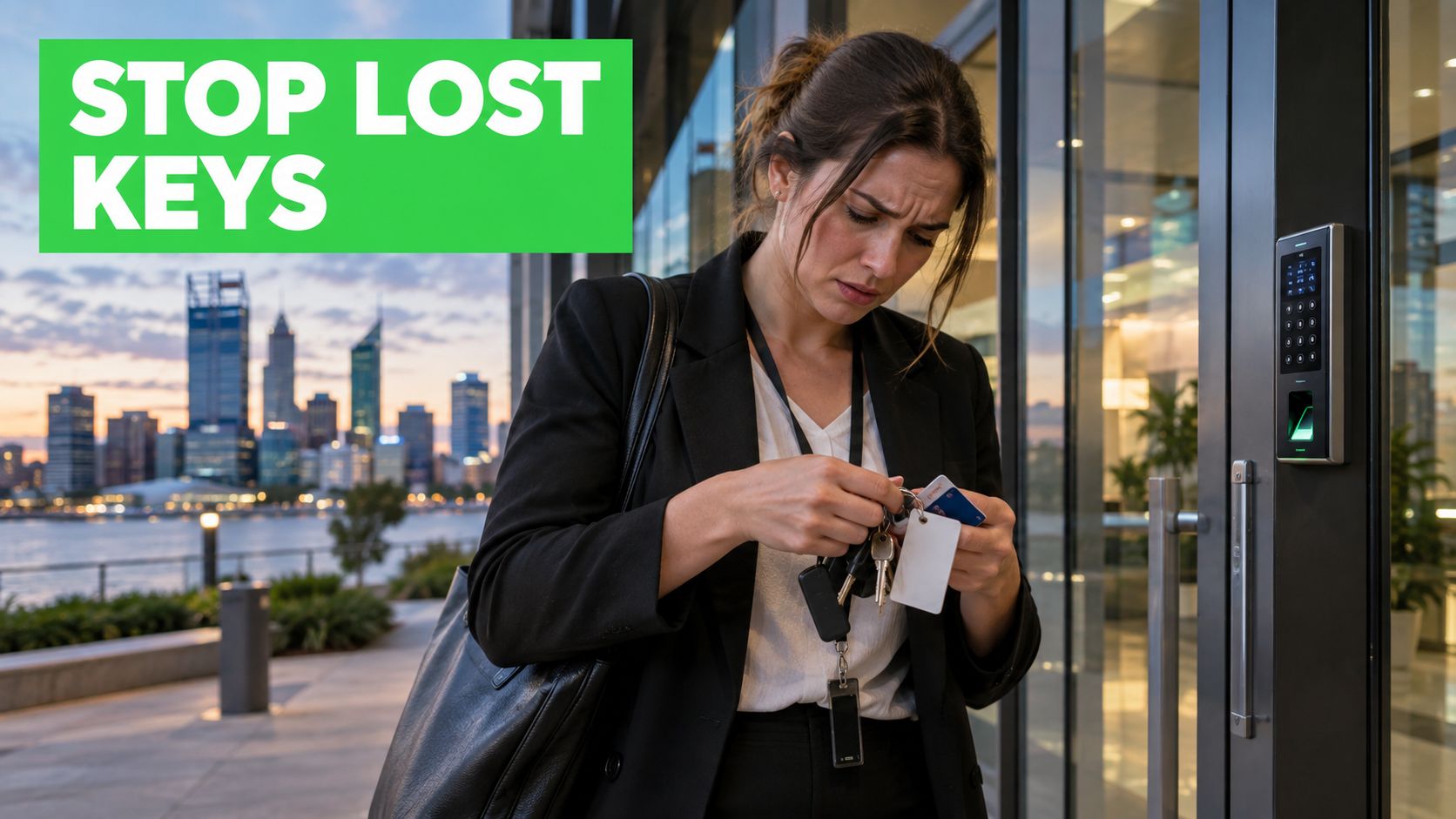
That's where an access control system biometric approach can fit. Instead of relying only on something a person possesses, such as a key, fob or card, the system verifies a physical characteristic, such as a fingerprint, face or iris pattern. The result can be a smoother entry process, but the decision isn't about buying a reader and attaching it to a door.
A biometric system collects, stores and checks sensitive personal information. For a WA business, the location of templates, the retention policy, the fallback method and the way staff are informed can matter as much as the scanner itself. This guide is written for facility managers, business owners, strata teams and operators of industrial or multi-site properties across Perth and greater Western Australia.
You'll start with the basic mechanism, compare the main technologies, then work through the practical benefits, limitations, privacy obligations and deployment decisions. The central lesson is straightforward: biometric access works best when convenience, security and governance are designed together.
Introduction to Biometric Access Control for Modern Facilities
Traditional credentials solve a simple problem, but they create familiar management headaches. Keys can be misplaced, cards can be loaned to another worker, and access permissions can remain active longer than they should after a contractor or employee leaves. A busy Osborne Park office, Canning Vale warehouse or Perth CBD commercial building may have several doors, different user groups and access schedules that need regular attention.
Biometrics changes the credential from an object to a characteristic. A fingerprint reader checks a finger, while a facial reader checks a person's facial pattern. That makes the entry experience less dependent on what someone remembers to bring, although it doesn't remove the need for sensible enrolment, permissions and emergency access procedures.
Practical rule: A biometric reader verifies a person, but the access-control platform still decides which doors that person may open.
That distinction matters. A successful fingerprint match shouldn't automatically grant access to every area. The system should still apply role-based permissions, time rules and site-specific restrictions. A warehouse worker might use a biometric reader at a staff entrance, while a plant room or server area may require an additional credential or a different approval process.
The privacy dimension deserves equal attention. In Australia, biometric data used for automated verification or identification is treated as sensitive information under the Privacy Act 1988, so organisations must apply stronger privacy protections and usually obtain consent unless an exception applies. The law is technology-neutral, meaning fingerprint and facial systems aren't automatically prohibited, but they must operate consistently with the Australian Privacy Principles. The Privacy Act text also identifies the organisations and agencies covered by the legislation.
For a facility manager, that means a good design answers more than “Will the door open quickly?” It answers what data is collected, why it's needed, where it's kept, who can administer it, when it's deleted and what happens if a person can't or won't use biometrics.
How an Access Control System Biometric Actually Works
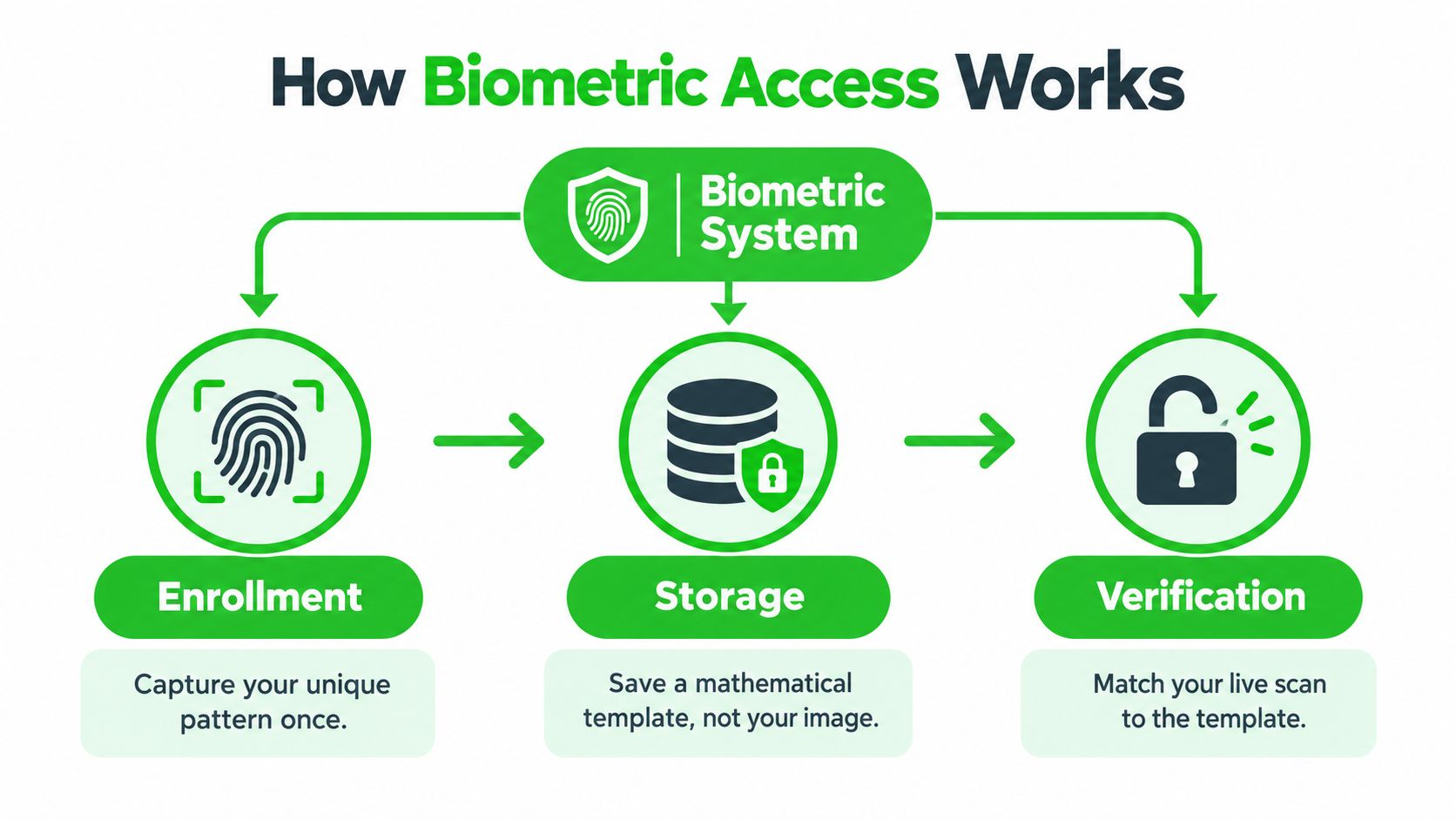
The easiest way to understand biometrics is to compare it with a lock that learns a pattern, rather than a lock that stores a physical copy of your key. During enrolment, the reader captures a person's selected biometric feature and converts relevant characteristics into a mathematical template. At the door, a new scan is compared with that template.
The three basic stages
Enrolment: An authorised administrator registers the user. The reader captures the chosen feature, such as a fingerprint or face pattern, and creates the reference template.
Storage: The system stores the template in a reader, controller, server or managed platform, depending on the architecture. A well-designed system should define how that template is protected and which administrators can manage it.
Verification: The user presents the feature at the door. The system compares the live scan with the enrolled template, then checks whether the matched identity has permission for that opening.
The core concept: Biometrics confirms “is this the enrolled person?” Access control then asks “does that person have permission to enter here now?”
People often confuse verification with identification. One-to-one verification checks a claimed identity against one template. For example, a worker may first present a card or user ID, then use a fingerprint to confirm that they're the person associated with that credential. One-to-many identification searches a collection of templates to determine who the person is. That difference affects privacy, system design and the scale of the matching task.
A template also isn't automatically the same thing as a photograph or raw fingerprint image. The reader normally extracts selected features and represents them mathematically, but facility managers still need to treat the resulting information carefully because Australian privacy rules can apply to biometric information and templates used for automated verification or identification.
The storage decision has operational consequences. Local storage can reduce dependence on a central connection at a door, while central storage may simplify administration across multiple Perth sites. Either approach requires access controls, secure communications, administrator accountability and a clear process for removing a departing user.
For a visual explanation of the underlying subject, this short video provides another way to follow the enrolment, storage and matching sequence.
Fingerprint Facial and Iris Technologies Compared
The right biometric modality depends on the environment, not on which feature looks newest in a product brochure. A fingerprint reader may suit an internal office door, while facial recognition may be more practical for a touchless entry point. Iris technology can suit a restricted zone where careful positioning and higher control are acceptable.
Comparing the main options
| Technology | How It Works | Best For | Key Limitation |
|---|---|---|---|
| Fingerprint | A sensor reads distinctive features from a presented finger and compares them with an enrolled template. | Office doors, staff-only rooms and cost-conscious indoor deployments. | Dirt, moisture, gloves or worn fingertips can make enrolment or reading more difficult. |
| Facial | A camera analyses facial features and compares the live presentation with an enrolled template. | Touchless entry, offices and locations where users need to move through without touching a reader. | Lighting, camera position, user acceptance and privacy governance require careful assessment. |
| Iris | A specialised reader analyses the pattern in the coloured part of the eye. | Restricted rooms and environments where controlled, deliberate authentication is acceptable. | Users must position themselves correctly, and the hardware can be less suitable for fast, casual entry. |
Fingerprint access is familiar and straightforward for many indoor workplaces. It can work well at a staff entrance where users are willing to touch the reader, but a warehouse environment creates extra questions. Dust, wet hands, gloves and manual work can affect the interaction, so a card, PIN or supervised alternative may still be necessary.
Facial access removes physical contact and can support a more natural flow through an entrance. It also raises more visible privacy questions because people may feel that a camera is observing and analysing them. Facility managers should explain the purpose clearly, restrict the system to authentication rather than unrelated surveillance, and review the privacy implications before installation. For broader context on the personal and social implications of facial systems, how face recognition impacts privacy is a useful resource.
Iris access offers a controlled process for sensitive areas, but it usually demands more deliberate user cooperation. It may suit a small population entering a high-security room better than a general staff doorway where speed, accessibility and convenience dominate.
The comparison should also include accessibility. Some people may be unable to provide a reliable fingerprint, may not be comfortable with facial capture or may need another method because of workplace conditions. A system that gives every user a practical alternative will usually gain more acceptance than one that treats a single modality as mandatory.
Benefits and Limitations You Should Weigh Honestly
Biometrics can close gaps that cards and keys leave open, but it doesn't turn an ordinary access system into an infallible one. The strongest business case usually comes from matching the technology to a specific operational problem, such as credential sharing at a staff entrance or unclear accountability at a restricted room.
Where biometrics can help
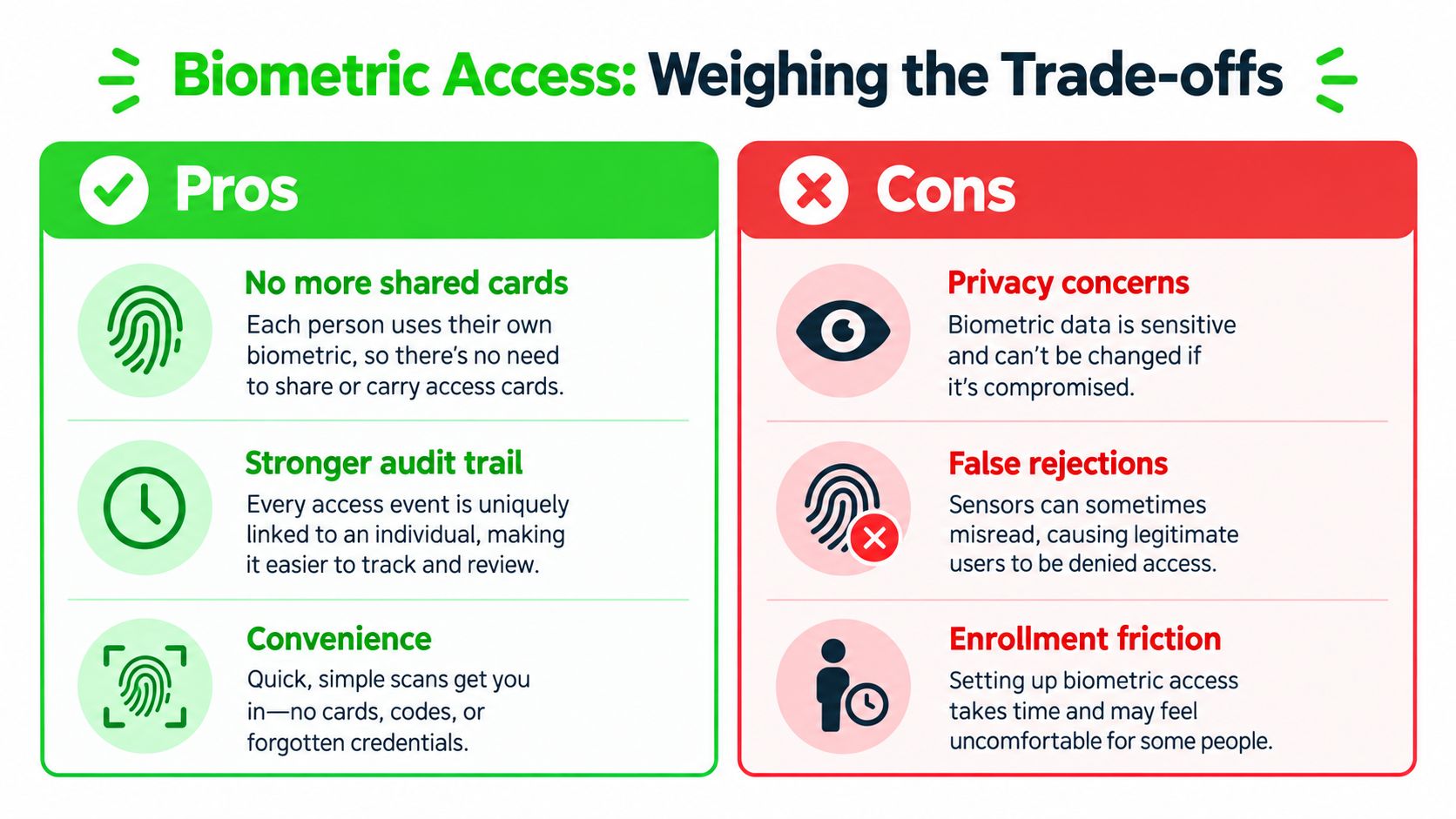
A biometric credential is harder to lend casually than a card or PIN. That can reduce the risk of one worker allowing another person to enter under their identity, particularly where the access record needs to support an investigation or internal review.
The audit trail can also become more meaningful. A card log records the use of a card. A properly configured biometric process can associate an entry event with the enrolled person who authenticated, subject to the system's design and matching performance.
At an office reception or internal passage, a touchless facial reader may remove the need to find a card in a bag. At a warehouse, fingerprint access may help limit staff entry to designated areas. In a strata building, biometric access could be considered for selected service or plant areas, although resident expectations, accessibility and consent require careful attention.
Where the friction appears
Enrolment takes planning. Each authorised user must be registered correctly, and the organisation needs a process for new starters, contractors, visitors and departing staff. A poor initial capture can create repeated failed attempts at the door, which quickly damages confidence in the system.
The physical environment matters too. Fingerprint readers can struggle with dirty or wet fingers, facial readers depend on camera placement and lighting, and any reader can be affected by power, network or configuration faults. Presentation attacks are another concern, so a system should be assessed for attack resistance rather than judged only by how convenient it feels.
User acceptance is part of the security outcome. People who understand the purpose, consent process and fallback option are more likely to use the system correctly.
A realistic evaluation should ask:
- What problem are we solving? Is the priority credential sharing, restricted-area accountability, touchless movement or simpler administration?
- What happens after a failed match? Can the person use a card, PIN or other approved route without calling a manager each time?
- What will staff experience? Test the reader with gloves, dust, moisture, glasses, different lighting and the normal entry flow.
- What evidence will we review? Examine failed attempts, access events, support calls and user feedback after a controlled rollout.
The benefit isn't “biometric” by itself. The benefit comes from a system that improves identity assurance without creating a new operational or privacy problem.
Security Privacy and Compliance Essentials in Australia
Australian organisations need to treat biometric access as a regulated data flow, not as a door-hardware upgrade. Under the Privacy Act 1988, biometric information used for automated verification or identification is sensitive information. Organisations covered by the Act therefore need stronger controls around collection, use, storage and disclosure, and they usually need consent unless a specific exception applies. Australian privacy guidance on biometric systems highlights why proportionality and alternative access routes matter in physical deployments.
Translate the obligation into design decisions
Before enrolment, provide a clear notice explaining what the system collects, why the business needs it, how it will be used and who may administer it. Consent shouldn't be buried in an unrelated workplace form. The organisation should also record how users can choose a non-biometric option where that alternative is required by the deployment's privacy and accessibility assessment.
Storage needs the same attention. Ask whether templates stay on the reader, move to a controller, sit on a local server or are managed through a hosted platform. Then document encryption, administrator privileges, vendor access, backup handling and the process for deleting a template when the person no longer needs access.
The Department of Finance's Digital ID Privacy Impact Assessment describes biometric information being collected and used for verification or authentication, with deletion after that use ceases unless the individual consents to retention for future authentication. It also describes limits on one-to-many matching and narrow disclosure circumstances involving law enforcement, such as a valid warrant or the individual's express consent. These principles support a conservative access-control architecture: authenticate the user, retain only what is necessary and prevent unrelated secondary use. The Home Affairs Portfolio Biometrics Strategy 2020–24 provides the broader government context for Australia's biometric policy direction.
Build an audit-ready operating model
A practical checklist should include:
- Consent and notice: Explain the collection purpose before enrolment and record the relevant decision.
- Fallback access: Provide a non-biometric path for approved users, accessibility needs, system faults or privacy objections.
- Access-event logging: Record door events, administrator actions, enrolments, deletions and permission changes.
- Retention rules: Set a documented deletion trigger rather than keeping former users indefinitely.
- Disclosure controls: Prevent casual export or reuse of templates and restrict access to authorised administrators.
Facial recognition isn't specifically banned or automatically permitted. The organisation must assess the privacy risk and comply with the Privacy Act and Australian Privacy Principles. For readers wanting a broader explanation of the role of biometrics in security, the key practical point remains the same, security value depends on disciplined implementation.
If cameras are part of a wider entry strategy, review the proposed facial recognition camera solution alongside the privacy assessment, not after the hardware has been selected.
Integrating and Deploying Biometrics With Your Existing Systems
Most WA facilities don't need to discard every existing reader, lock, camera or alarm. A staged approach can add biometric verification at selected doors while preserving card, PIN or mobile credentials elsewhere. The starting point is an audit of what already exists, including controllers, door hardware, intercoms, CCTV, alarm zones, network paths, power supplies and software licences.
Follow a practical deployment sequence
Map the access points first. Identify which doors justify biometric use and which should remain card or PIN based. A staff entrance, records room and loading-dock gate may have different users, environmental conditions and risk profiles.
Check infrastructure. Confirm that the door hardware can respond reliably, the reader has suitable power, the controller can communicate with the management platform and the network can support the required traffic. A reader that works in a showroom may need different placement or protection at a dusty industrial entrance.
Choose the storage architecture. On-device storage can reduce reliance on a central connection, while centralised administration can make multi-site enrolment and revocation easier. The choice should account for outage behaviour, privacy controls, administrator access and how a user's template is removed across every location.
Design enrolment before installation day. Decide who can enrol users, how identity is checked, how contractors are handled and how a departing worker is removed. Give staff clear instructions and document the fallback method before the first live attempt.
Test the complete system
Standards Australia points to AS ISO/IEC 19795.1:2022 for biometric performance testing and reporting, while Australian Digital ID technical materials emphasise testing both biometric matching algorithms and presentation attack detection technology. Standards Australia's biometric systems overview explains why buyers should assess matching performance and attack resistance, not just a smooth product demonstration.
Test under real WA conditions. Check bright entrances, shaded approaches, night lighting, gloves, dust, wet hands, glasses, ordinary staff movement and loss of network connectivity. Confirm what the door does during a power interruption and whether an authorised administrator can restore service without weakening security.
A controlled rollout is easier to correct than a building-wide change. Start with selected doors, review failed reads and support requests, train supervisors, then expand only when the operating process works. The installer should also provide a maintenance plan covering reader cleaning, firmware management, access reviews, backup procedures and fault response. For systems involving CCTV, alarms and intercoms, access control integration should be planned as one coordinated project rather than a collection of disconnected devices.
Choosing the Right Biometric Solution for Your WA Business
A suitable system starts with the site, not the sales brochure. A Perth office with controlled indoor conditions may favour facial or fingerprint authentication, while a warehouse with gloves, dust and outdoor movement may need a different combination. A restricted plant room may justify stronger authentication than a general staff entrance.
Use these questions to compare proposals:
- What is the actual risk? Ask which doors and events require stronger identity assurance.
- How will users enter if biometrics fail? Require a documented card, PIN, mobile or supervised fallback process.
- Where are templates stored? Ask for the storage location, encryption approach, administrator permissions, backup treatment and deletion process.
- How is privacy handled? Request the proposed notice, consent workflow, retention rule and disclosure controls.
- What testing is included? Look for matching-performance testing and presentation attack detection assessment, not just a live demonstration.
- Can the system integrate? Confirm compatibility with existing access control, CCTV, alarms, intercoms and multi-site administration.
- What support follows installation? Clarify training, servicing, firmware updates, fault response and access-review responsibilities.
A comparison with other approaches can also prevent over-specification. Review types of access control systems before deciding that every door needs biometrics. Cards, fobs, PINs, mobile credentials and layered combinations may be more appropriate for particular users or locations.
For a WA facility manager, the best choice balances security, privacy, reliability and user acceptance. Securitec Security offers biometric access control using fingerprint and face-recognition methods, alongside card, fob, keypad and mobile options, so a design can use different credential types across the same broader access strategy. The important question is whether the proposed architecture fits your people, building conditions, existing equipment and governance obligations.
Start by listing the doors, user groups, operating hours, environmental challenges and current access problems. Then ask an experienced installer to test the proposed modality at the actual site, document the fallback path and provide a privacy-conscious deployment plan before you approve the rollout.
Securitec Security can assess your Perth or greater WA site, integrate biometric entry with access control, CCTV, alarms and intercoms, and plan the storage, fallback and maintenance arrangements around your operation. Visit Securitec Security to request a consultation for your facility.