How to Manage Contractor Access Securely
A contractor may only be on site for one morning, but the access they receive can create a lasting security gap. A key that is not returned, a shared PIN, or an access card that remains active after a job is complete can leave a home, warehouse, office or strata property exposed. Knowing how to manage contractor access means giving tradespeople the access they need to complete their work, without handing over control of your premises.
For Perth property owners and site managers, the answer is rarely a single lock or rule. It is a practical process supported by the right access-control technology, clear responsibilities and prompt follow-up once the work is done.
Start with the level of access the contractor actually needs
Not every contractor requires the same access. A cleaner working after hours may need entry through one staff door and access to common areas. An electrician may need a plant room, switchboard cupboard and roof access. A technician servicing a critical system may need temporary access across several locations.
Before issuing a key, fob, PIN or mobile credential, define four things: who is attending, which areas they need to enter, when they can enter, and how long that access should remain active. This is the principle of least privilege – provide only the access required for the agreed job.
It can feel easier to issue a master key or use a shared alarm code when a contractor is running late. However, convenience can become costly if a credential is copied, forgotten or passed to another person. Restricted permissions take a little more planning, but they make incidents easier to prevent and investigate.
Replace shared keys and codes where possible
Traditional keys have a place, particularly for smaller residential properties, but they offer little visibility. Once a key has left your hands, you cannot tell who used it, whether it was copied, or whether it has been returned. Rekeying after every contractor engagement is expensive and disruptive.
Shared alarm codes create a similar issue. If several contractors know the same code, there is no reliable audit trail. Changing the code after each job can help, although it relies on someone remembering to do it promptly and telling authorised staff.
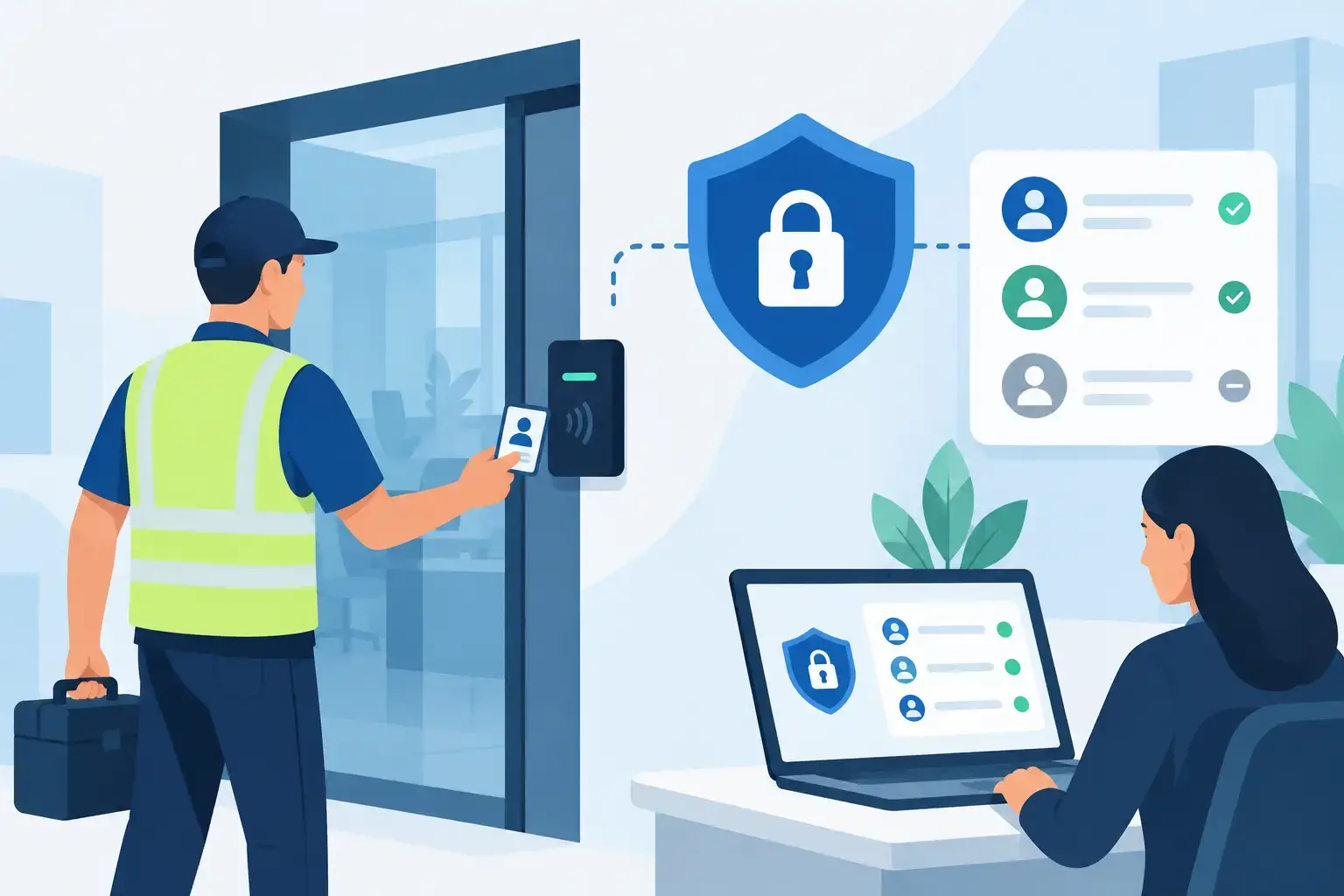
Electronic access control offers a more accountable alternative. Access can be assigned to an individual card, fob, PIN or mobile credential and restricted by door, date and time. When the work finishes, that credential can be removed without affecting employees, residents or other contractors.
For a single home, this could be a temporary keypad code for a pool technician or builder. For a commercial site, it may be an access card that opens a loading dock from 6.00 am to 4.00 pm but cannot open an office, server room or stock cage. The right arrangement depends on the site, but individual credentials are almost always safer than shared ones.
Create a contractor access process before work begins
A good process makes access predictable for contractors and manageable for your team. It should be simple enough that people will follow it, particularly when urgent repairs are required.
First, nominate one person who can approve contractor access. In a small business, this may be the owner or office manager. At a larger facility, it may be a site manager, facilities team or security administrator. Avoid allowing multiple staff members to issue credentials informally without a central record.
Record the contractor’s business name, the attending person’s name, contact details, job description, expected arrival time and areas requiring access. For recurring contractors, maintain current details and confirm them before each visit. If they send a substitute worker, treat that person as a new visitor rather than assuming existing permissions apply.
For higher-risk areas, request appropriate licences, inductions and insurance information before attendance. This is particularly relevant at industrial sites, schools, health facilities, data rooms, controlled storage areas and properties with sensitive client records. Security access should align with workplace safety and site compliance requirements, not sit apart from them.
Set arrival and sign-in expectations
Where practical, contractors should report to a designated entry point and sign in before work starts. A reception register is useful, but a digital visitor management process is easier to search and review later. Record arrival and departure times, the person they are visiting and the credential issued.
At unmanned sites, a time-limited credential can replace the need to leave a key under a mat, in a lockbox or with a neighbouring business. If site conditions require an emergency key safe, keep the code limited to authorised people and change it whenever a contractor arrangement ends.
Use time and zone restrictions to reduce risk
The strongest access rules are specific. Instead of granting broad ongoing entry, schedule access around the job itself. A contractor attending Tuesday between 8.00 am and midday does not need a credential that works every night for the next year.
Time restrictions also assist with supervision. If a contractor should be working in standard business hours but their credential is used late at night, the event can be investigated quickly. This does not mean every contractor must be watched constantly. It means unusual activity is visible rather than hidden behind a shared key or code.
Zone restrictions matter just as much. Divide a site into practical areas such as public entry points, staff-only spaces, storage rooms, plant areas, administration offices and high-value asset zones. Contractors can then receive access to the zones relevant to their task.
At a multi-site organisation, central management is especially valuable. A contractor may need access to one Perth location but not every branch, depot or office. Integrated access control lets administrators apply consistent rules while retaining local flexibility.
Pair access control with CCTV and alarms
Access records show that a credential opened a door. CCTV can provide helpful context about who entered, whether they were accompanied and what occurred around the entry point. Cameras covering entrances, delivery areas, corridors and asset-sensitive zones support accountability without interfering with legitimate work.
The aim is not to create an unnecessarily intrusive workplace. Camera placement, signage and footage handling should be considered carefully, particularly where staff and visitors are involved. A professional system design balances visibility, privacy expectations and the practical needs of the property.
Alarm systems should also be considered when contractors attend outside normal hours. Decide in advance whether the contractor is authorised to disarm and rearm the system, or whether an authorised staff member will manage the alarm remotely or in person. Giving every trade the same alarm code is rarely the best option.
For larger or more complex premises, access control, CCTV, intercoms and alarms can work together. An intercom can confirm a visitor before a gate is released, access control can log entry, and CCTV can capture the arrival. This gives site managers a clearer picture without relying on memory or paper notes.
Remove access as part of job completion
The final step is where many otherwise sound processes fail. Contractor access should not remain active simply because nobody has requested its removal.
Make credential cancellation part of the work order close-out process. Once the job is complete, confirm that cards, fobs, keys and temporary devices have been returned or disabled. Remove PINs and mobile credentials, cancel visitor permissions, and update the access register. For ongoing service providers, review their access at set intervals rather than allowing permissions to continue indefinitely.
If a physical key cannot be accounted for, assess the doors it opens and decide whether rekeying is necessary. If an electronic credential is missing, disable it immediately. Electronic systems reduce the impact of a lost fob, but only when someone acts quickly.
It is also wise to review access activity after major projects. Building works often involve multiple subcontractors, changing schedules and temporary entry arrangements. Checking the access list at project completion helps ensure no forgotten credential remains active.
Train staff to protect the process
Technology is most effective when staff understand why the rules exist. Reception staff, managers and employees with site access should know not to lend their cards, share PINs, prop open secure doors or admit unfamiliar people solely because they appear to be a contractor.
A polite verification step protects everyone. Staff can ask who the person is attending, confirm the work order or call the responsible manager. This is particularly useful when a contractor arrives unexpectedly, asks for access to a different area, or claims a credential is not working.
The process should allow for genuine urgent situations. A burst pipe, alarm fault or electrical issue may require immediate attendance. Even then, record who was authorised, what access was granted and when it was removed. Emergency access should be fast, not uncontrolled.
For property owners who need a tailored approach, Securitec Security can design and maintain access-control, CCTV, intercom and alarm systems that suit anything from a family home to a complex multi-site operation. The goal is practical protection that remains straightforward to manage long after installation.
Contractors help keep properties operating, repaired and compliant. Give them a clear route in, a defined scope while they are there, and a reliable way for that access to end when the work is finished. That is how security remains in your control while the job gets done.